










Product Details
- Sony Xperia Xz4
- Sony Xperia xA2
- Sony Xperia xA1
- Sony Xperia L2
- Sony Xperia XZ2
- Sony Xperia xA2 Ultra
- Sony Xperia XZ2 Compact
- Sony Xperia XZ2 Premium

Ready in seconds, quick and easy
Start with the phone brand you want to design for.
Pick the exact device so the template fits properly.
Available options for Sony Xperia XZ2 Compact.
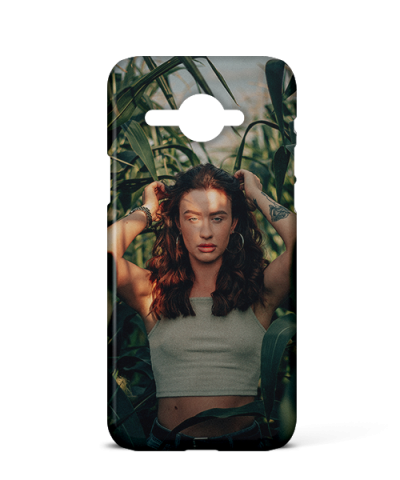
£14.99 was £19.99
Lightweight, 3D Printed Hard Case with Shock Flow™ Scratch Resistant Coating
Pick a photo, choose a vibe, hit go. Or transform any image into a fresh AI version, or turn your pet into royalty.
Pick a vibe. We’ll design the whole case around your photo, editable after.
Turn your photo into a fresh AI version | cartoon, sketch, watercolor and more. We keep the original.
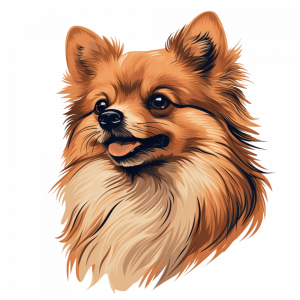
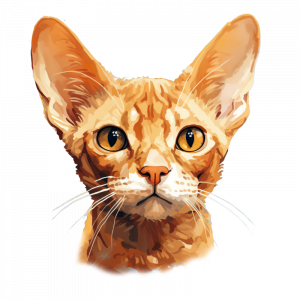
Turn your pet photo into a regal masterpiece. Pick a style, your pet gets the royal treatment.
Describe the look you want. We’ll create a one-of-one background and add it to your library.
Select a tile to use it with AI tools, or add it straight onto your case design.
Upload a photo or create one with AI to start building your personalised design.
Quick answers to keep your design moving.
Select your image, then use the up/down arrows at the bottom right to move it above or below other elements. AI images behave exactly the same way.
Click the image to select it, then drag the corner handles to resize, or the rotate handle above it to turn it. Hold Shift to keep proportions tidy.
Select the image and click Upload / Replace. The new image keeps the same position and size. AI transforms create a fresh tile in your library instead of overwriting the original.
Use the Opacity slider to make the image softer or more solid, perfect for overlays, subtle backgrounds, and layered effects.
Select the image and press Delete, or use the bin icon in the toolbar. You can also remove it from your library here using the delete button on the tile.
AI billing is based on each unique generated AI image. Reusing or duplicating the same AI image on the canvas does not charge again.





Choose a collage layout, use decorative shape frames, or keep it freeform.
Step 1. Select the shape you want to use.
Step 2. Resize and position the shape where you want it.
Step 3. Keep the shape selected, then go to Uploads and choose the image to fill it.
Describe the look you want and DMC AI will create a bespoke background for your case.
Generated images are saved to your DMC Studio library and added to your design automatically.
Pick your product type to begin.











 Align
Align
 Font
Font
 Colour
 Size
Size
 Rotate
We use cookies to give you the best possible experience on our site. Learn more in our privacy policy.